Pin It

Wednesday, 31 December 2014

Too Much Fun with our Promethean Board!


We have an exciting new addition to our classroom!  Our Promethean board has been installed and is up and running!  Soooo exciting!


We would especially like to thank the people from Promethean who sponsored this wonderful prize!  The board was one of the prizes in the Mindshare Learning Digital Video Learning Challenge contest that we won in the spring!  It is an amazing prize and WE LOVE IT!  We have been using it non-stop!


We have been having a lot of fun learning to use our new Promethean Board and learning to read at the same time!   I have been learning how to use the board.  While learning about the board and all the neat things we are going to be able to do with it, I found this really neat set of pages called Cut Up Sentences on the Promethean Planet website.  It lets the children move words around the screen to make up sentences.

We have also used the Promethean Board to do our addition stories together.  I was able to create a copy of the assignment we were working on the board and then we filled in the equations together!  The students created the math stories on their work spaces using our skeleton and spider manipulatives and then we recorded the corresponding equations.


The children were very keen to have a turn writing the addition sentence on the big screen!

Lots of volunteers! 


We love using it to see everyone's posts on our classroom Twitter page.  We can all read each other's posts together.  Great reading practice! I have a Twitter feed on our classroom blog site and the children like to check to find their tweets.  


We loved using it during the Global Read Aloud to share some of the Peter Reynold's stories.  Ish is a favorite! 

We love using it to do our brain breaks!  Jingle Bells with the Just Dance Kids group is fun! 

We are very lucky because we can connect our iPad to the Promethean Board and display what we are creating for everyone to see.  Here we made a Popplet about Halloween.  I loaded some clipart about Halloween onto the camera roll of the iPad and the students created a Popplet and labelled the pictures.  

Can you imagine how much fun we are going to have with this board?  
Way too much fun! 


Tuesday, 30 December 2014

Fun with AR Colors and Shapes!


We have been working with some Augmented Reality apps in the classroom.  The newest one is AR Flashcards Shapes and Colors.

This is a really neat app that introduces colors and shapes in a fun way.  The children hold the iPad over the trigger images and these lovely augmented images appear.  You can change the color of the shape by tapping the color icons at the top of the screen.  Lots of fun practice learning about colors and shapes.

There is a story in one of our beginning readers that talks about shapes.  We decided to make our own book using these augmented images as a starting point!

The students searched our classroom for the different shapes and then we arranged our collections around the trigger image picture.  Then we took a picture of the shapes within the app with the trigger image engaged.  Next, we opened up the Strip Designer app, imported the picture and added a sentence about the shape to the page.


Then we opened up the Explain Everything app and imported our pages to make a book.  The students volunteered to narrate the pages.  We saved our book to the camera roll and uploaded our book to YouTube.   This is the result!


This was a fun project!  They had a great time searching for the shapes we needed and arranging them around the trigger image!  Great practice and fun, too!

More Fun with Technology!

We had a lot of fun during the first few weeks of this school year!  We have had a lot of fun creating a book using the iPad based on a story we have been working on in one of our readers.

The story focuses on introducing the school in the story.  We decided to create our own book about our own school using the iPads. 


We had a great time travelling all around the school taking pictures of the important sites in the school according to the children! Then we imported the pictures into an app called Strip Designer. and added the text. 

Then we imported these pages into another app called Explain Everything to create our book.  Then we recorded our voices reading the text.  We saved our book to the camera roll and exported it to Youtube.  We hope you enjoy our efforts!
I have also been experimenting with Aurasma again this year.  This app allows us to attach files to a trigger image such as a picture.  When you view the picture within the Aurasma app it triggers the attached file to display.  You need to follow our class on the Aurasma app to see the Aura.
To see our auras, please follow the following steps.
1.Download the app Aurasma on your device.  It works on iPads, and iPhones.  I believe there is also an android version.   The app is free.   It will ask you if you want to register.  You do not need to register to see the auras.
2. Search for our channel and follow it.  Our site is
mrsantonsclass or mrsantonsgradeone
You can do this by choosing the magnifying glass icon at the bottom of the screen.  Type in either site name.  Our channel should come up!  (I have tried it on every device in my house and had my family try it so it should work!)   Then choose the Follow button. The text will change to Following.

at my school aura 1

(image from KPM Doodles)
You should then see a little snapshot of the picture above.
3. You can then trigger the aura by choosing the option at the bottom of your screen that has the four corners (the one in the middle).
Aim your device at the trigger image above on this screen on your computer and you will see the aura activate with a purple swirl.  The attached file should then display.   The attached file is the book that we created above.  It is pretty cool!  Now you have two ways of viewing the same book!.


We tried it out this morning in our classroom with my iPad and the pictures!  Lots of fun!


As we create other auras this year we will share them to this channel. Auras are great because you can share them! You can share the aura by choosing the share button.  You can share it via email or twitter.
I have also shared the book on our Twitter site.  Our twitter address is @mrsantonsclass.  We have a classroom blog at mrsantonsclass.com.  I have added the twitter feed to that site.  

IMG_3783

This year we took part in the Global Read Aloud 2014.   We joined with a large group of teachers worldwide who are completing an author study of the Peter Reynolds stories.  

We managed to read all the books and our favorite new term is "ish".  We don't have  the ends anymore! We have "The Endish"! 
IMG_3788

One of our moms volunteered to help us with our Twitter page.  We share our news on the twitter board as well as on our class Twitter page  The students love seeing their sharing come up on the screen! 

IMG_3789


Having lots of fun with technology!  Definitely something to tweet about!


Thursday, 14 August 2014

ISTE Ignite! Part Two


Attending the ISTE conference was a dream come true for me!  The registration for the conference was part of a prize package for a contest I entered called the Mind Share Learning Digital Video Challenge!  The conference was held in Atlanta, Georgia at the beginning of the summer!  I had an fantastic time!


The conference was huge!  There were over 18,000 people there!  Lots of sessions to go to, people to meet and lots to learn.  Many of the people who I follow on twitter or on their blogs were at the conference as attendees or presenters!   Very exciting to meet up with some of the people I admire in person!  I tried to go to as many sessions as I could.  

I decided to submit a proposal for an ignite talk at ISTE when I realized that I was going to the conference in April.  I told myself that if I was going I should really go for all the opportunities that were available at ISTE!   (I did not however apply to the Karaoke contest!) 
To do an ignite talk, you need to submit a proposal to speak about something that you feel passionate about to the ISTE committee.  An ignite is a five minute talk using twenty slides which automatically advance every twenty seconds.  They had four different ignite sessions with 10 to 12 people in each session.  Imagine my surprise when my proposal was selected!  Now I was not only going to my dream conference, but I was also given a chance to present there!  


We had been doing a lot of work in our classroom with augmented reality and my ignite centered on how augmented reality had really become a spark to fuel creative writing.


Before I left for the ISTE conference I did a little research about the people who were also presenting an ignite and discovered to my delight a fellow British Columbian from the Surrey School district,  DianaWilliams (@teacherdiana1)! I reached out to her on Twitter and let her know how happy I was to be in an ignite presentation group with a fellow teacher from B.C.  She was amazing!  She immediately introduced to me to some of her collegues in Surrey on Twitter, and when I explained that I was travelling by myself she immediately declared that I would now be part of their crew!  She wasn't kidding!  
Their company and gracious inclusion in a wide variety of events made my conference experience so much better! Diana introduced me to Karen Lirenman (@KLirenman) and 
 before I left for the conference I had a long conversation on Twitter with Karen.  She gave me lots of tips and encouragement.  
As soon as I arrived I received a Tweet from Karen to meet up with her.  I gradually met the other members of the SD#36 crew at ISTE and they really made me feel welcome!  I can't thank them enough! We went to sessions together, toured the vendor mall, had great conversations, and shared meals and celebrations together! 
I met most of them at the Discovery Education Canadian Tweet Up on one of the first evenings of the conference.  What a great idea!  A great chance to meet fellow Canadians and Dean Shareski! And have your picture taken with such a friendly shark! 

Lots of fun!   I met the other members of the SD #36 crew at this event and they are a very friendly group! 


Giving the ignite talk the next morning was amazing and terrifying at the same time.  It was my first time speaking into a microphone and the first time speaking in front of such a large group!  It was made much easier knowing that my new Surrey school district friends were in the audience!  I was the first speaker and  and Diana Williams went last!  She was amazing!  

The other presenters for our ignite session were all so welcoming and their talks were all very inspiring!  Please take the time to find out more about these great people!
Billy Krakower, Christopher Smith, Diana Williams, Jack Lawicki, Jennifer Bond, Jonathan Jarc, Kim Kern, Monica Burns, Shirley Campbell,  Tamara Letter, Trisha Callella, Zee Poerio.  
They all have Twitter accounts!  
  

After our presentation, Bill Ferriter, our "honorary" Canadian (as he liked to call himself and definitely a "Surrey" team member as well) steered us to a great restaurant for breakfast!  What a lovely way to celebrate surviving the ignite!  The Surrey group is amazing and so generous and welcoming!  Amazing ambassadors for their school district!  

There was a special reception at the Canadian embassy in Atlanta for the 6th annual Mind Share Learning Celebration of Excellence.  It was amazing!  


At the reception, Robert Martellacci  presented me with this certificate as one of the three winners in the Mind Share Learning Digital Learning Video Challenge!   I got to meet one of the other winners, Fred Galang, as well as the sponsors and hosts of the celebration.  I hope to meet Jacob Lingley who was the Eastern winner of the contest someday too! 


All my new friends from School District #36 were there, too! 


Kevin Amboe, Lisa Domeir, Shelly Brett, Hugh McDonald, Linda Dyck, Tia Henriksen, Iram Khan, Diana Williams, Deneen Reiter, and Robin Thiessen.  
I hope that I will have other opportunities to work with these wonderful people.

It was really nice to meet and thank the sponsors of the contest at the reception!  
We all sang O Canada together!  Apparently, this tradition was established at the very first reception honoring the winners of the contest and has continued every since!  Very poignant! 

  The Surrey crew invited me to join them for dinner.  We found a Tex Mex restaurant and had these! Fried dill pickles!  Yum! 

I attended some amazing sessions at ISTE and came away feeling inspired and overwhelmed!  In a good way!  More about ISTE soon.....

Techie Fun! ISTE Part One!


The past few months have been amazing!  This is me with Mobey at the Brain Pop booth at the ISTE conference in Atlanta Georgia!  I was lucky enough to attend this conference as part of a prize package in a contest I entered!  
  A while back in late January I created a short video about how we use technology in grade one and entered the 6th Annual Mind Share Learning  Digital Learning Video Challenge contest.   I thought it would give me a chance to learn how to use some different apps and be a great learning opportunity to help me become more proficient using the various apps.  I never dreamed that we would actually win!  Our entry was one of three winners in this contest in Canada.  


learning
mind share learning win
Needless to say we were very excited!
We won $15,000 worth of new technology for our school to use!   Still pinching myself everyday!  The video we entered showcases the work we have done in grade one using technology.


My principal  Mr. Brick took our picture just after the call to send to Mr. Robert Martellacci at Mind Share Learning for the press release.
SAMSUNG CAMERA PICTURES
We are extremely lucky to receive a wide variety of amazing products to use in our classroom and our school as part of the prize package.  It definitely feels like Christmas! 


Another one of the prizes was the registration for the ISTE conference in Atlanta!  What an amazing conference!  I have always dreamed of attending this conference and it was so great to actually be able to achieve this dream.  I learned a lot at the conference and met some amazing people!  Too much to tell in just one post so I am going to spread it out over several!!! 
Watch for Techie Fun, Part Two! 


Thursday, 12 June 2014

Augmented Reality Alphabet Book


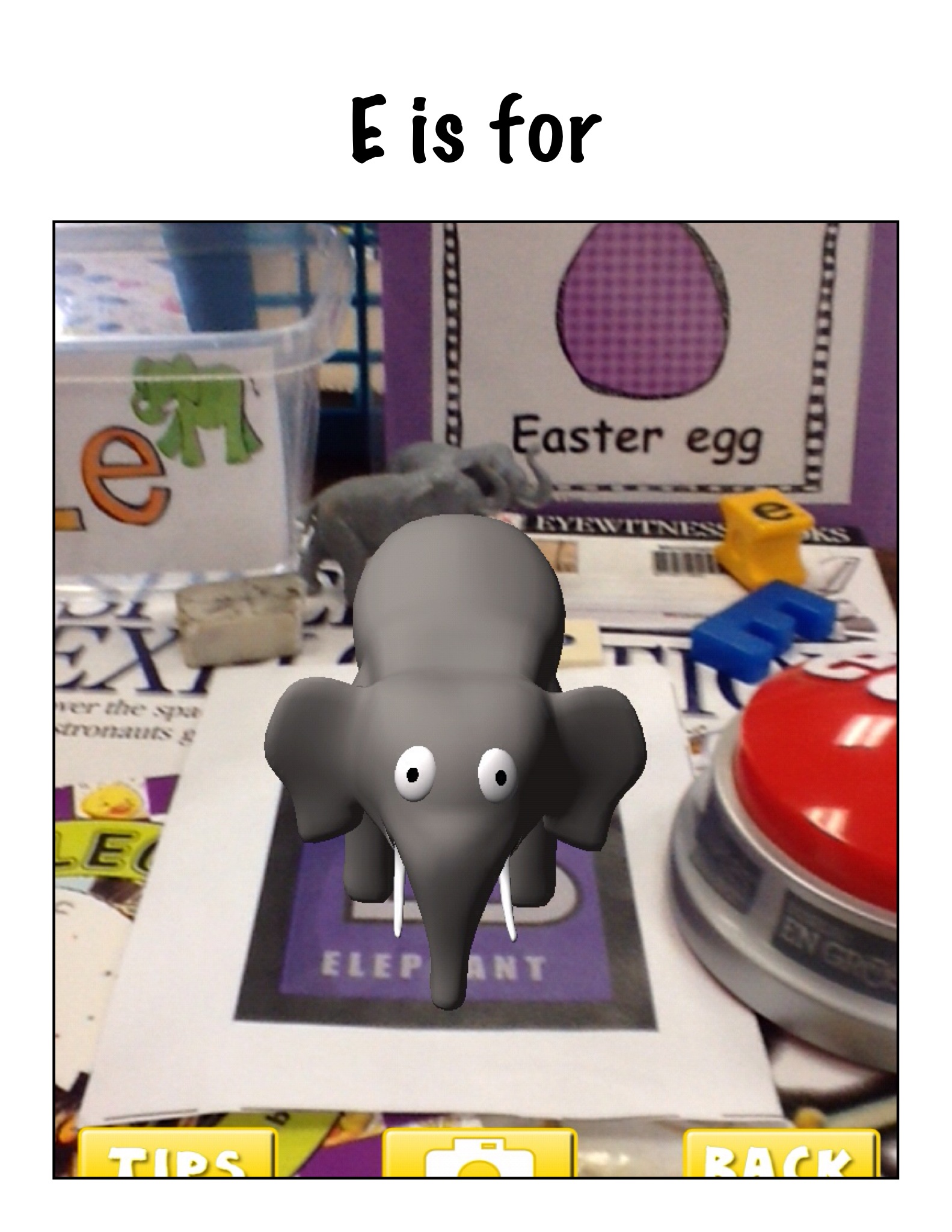
This is our Augmented Reality Alphabet Book!  We think it is very cool!  We have been working with the AR Flashcards app a lot this year!  This book is a compilation of a lot of work!


The children each choose a letter of the alphabet and then scoured the room looking for items that begin with their letter's sound.
P is for

b3 is for

Once they had a good collection of items we arranged them around the trigger picture for that letter in the AR Flashcards app!  Then we opened up the app and took the picture of their collections when the trigger was activated!   Very cool!
alphabet 8
Then we used the Strip Designer app to import the pictures to create a page for each alphabet letter.  We wanted to make an alphabet book to share with the kindergarten class!
H is for
We made a variety of pages using these pictures.  We made pages with the trigger picture and other pictures using Doodle Buddy as well as taking pictures of items in the classroom or the school!  Once the students got started they wanted to make more than one!
s5

s3

G is for

s4
Then we decided that we needed the label the objects in our pictures.  We used the text function in Strip Designer to add the captions to our pictures.
f

r
Then we took all the pages and imported them into another app called Explain Everything!
y
After we had the book put together with all the pages we had to record our voices on each page.  Each student recorded their page!
g
Once the book was complete we saved it to the camera roll!
Then we watched and listened to our book!  Too cool!
I uploaded the book to my channel on Youtube so we can share it with everyone!  We think we might have made the very first Augmented Reality alphabet book!
Way too much fun!